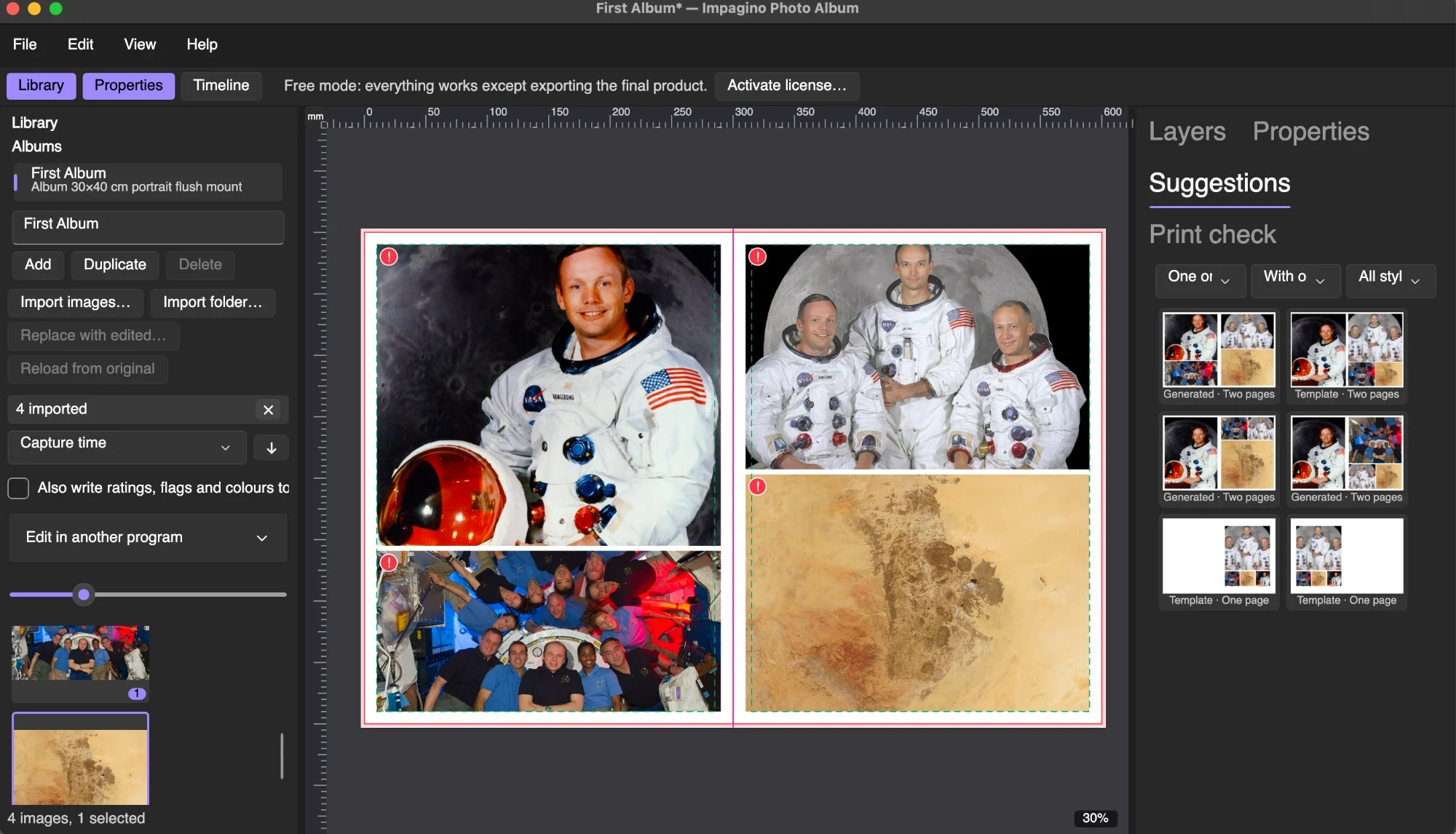
Impagino Photo Album brings the complete album workflow into one application: organise your photographs, shape the story, design the pages, collaborate with your client and prepare the finished files for production.
01 / ORGANISE
Organise and select your photographs.
Import your images, browse a responsive thumbnail library and organise collections with ratings, colour labels and favourites. Compare photographs side by side, inspect details at full size and see which images already appear in your album. Synchronise capture times from different cameras, reconnect missing files and replace previews with edited photographs while keeping your layouts intact.
Local AI tools help you review large collections by identifying faces, similar images, bursts, blur and closed eyes. Find photographs through visual search, group images by person and discover strong photographs that have not yet been used.
The library, the spread and the print check share one workspace.
02 / LAYOUTS
Build layouts around your story.
Design freely with drag-and-drop editing or explore layout suggestions based on your selected photographs. Combine full-page images with balanced arrangements of two, three or more photographs. Control margins, spacing, alignment and proportions across individual spreads or the entire album.
The auto-design assistant groups photographs into moments, selects a starting sequence and distributes images across the album. Adjust its suggestions, regenerate individual spreads and keep complete creative control over the result. A storyboard overview helps you assess the rhythm of the album before refining the details.
03 / PAGES
Make every page your own.
Crop, reposition, rotate and swap photographs directly on the page. Add text, reusable typography styles, shapes, backgrounds, textures, frames and masks. Use guides, rulers and snapping to keep compositions precise.
Create your own templates, save favourite layouts and build a brand kit with your studio’s colours, fonts and design preferences. Apply a consistent style throughout a project or adapt an existing album to another format, including smaller companion albums.
Non-destructive editing and undo give you the freedom to experiment without changing your original photographs.
04 / COVERS
Design the cover as part of the album.
Create coordinated covers with front, back and spine content. Add photographs, titles and decorative elements, work with cover templates and cameo windows, and adapt the design to the dimensions of your chosen product.
Preview the album as a whole, including its cover, and use a flipbook presentation to review the sequence before delivery.
05 / PRINT
Prepare confidently for print.
Choose a product specification or create one for your preferred laboratory. Work with page dimensions, bleed, safe areas, binding requirements and spine measurements as part of the design process.
Preflight checks highlight missing photographs, low resolution, empty frames and content too close to trimming or binding areas. Colour-management and soft-proofing tools help you assess the design for its intended output.
Export in JPEG, TIFF, PNG or PDF, with options for complete spreads, individual pages and covers. Use laboratory presets, generate an order summary and package files for delivery. Layered PSD and IDML export support workflows that continue in Photoshop or InDesign.
06 / CLIENTS
Review with your clients.
Create watermarked previews with reference numbers that make feedback easier to communicate. Share an offline presentation or publish an online proofing gallery where clients can review pages, leave comments and approve a design.
Keep track of revisions, compare versions and bring feedback back into the desktop workflow. Restore an earlier spread when you need to revisit a previous idea.
07 / BEYOND
Create beyond the album.
Prepare social-media images, panoramic carousels and blog collages from your designs. Extend your photography into wall-art collections, room previews, cards, invitations and calendars, with presentation tools that support conversations and sales in the studio.
From selecting the first image to preparing the final order, Impagino Photo Album gives you the tools to turn a collection of photographs into something your clients can keep.
Try the workflow with your own photographs.
In the free demo everything works except exporting the final product.